Try a Fade on your own photo.
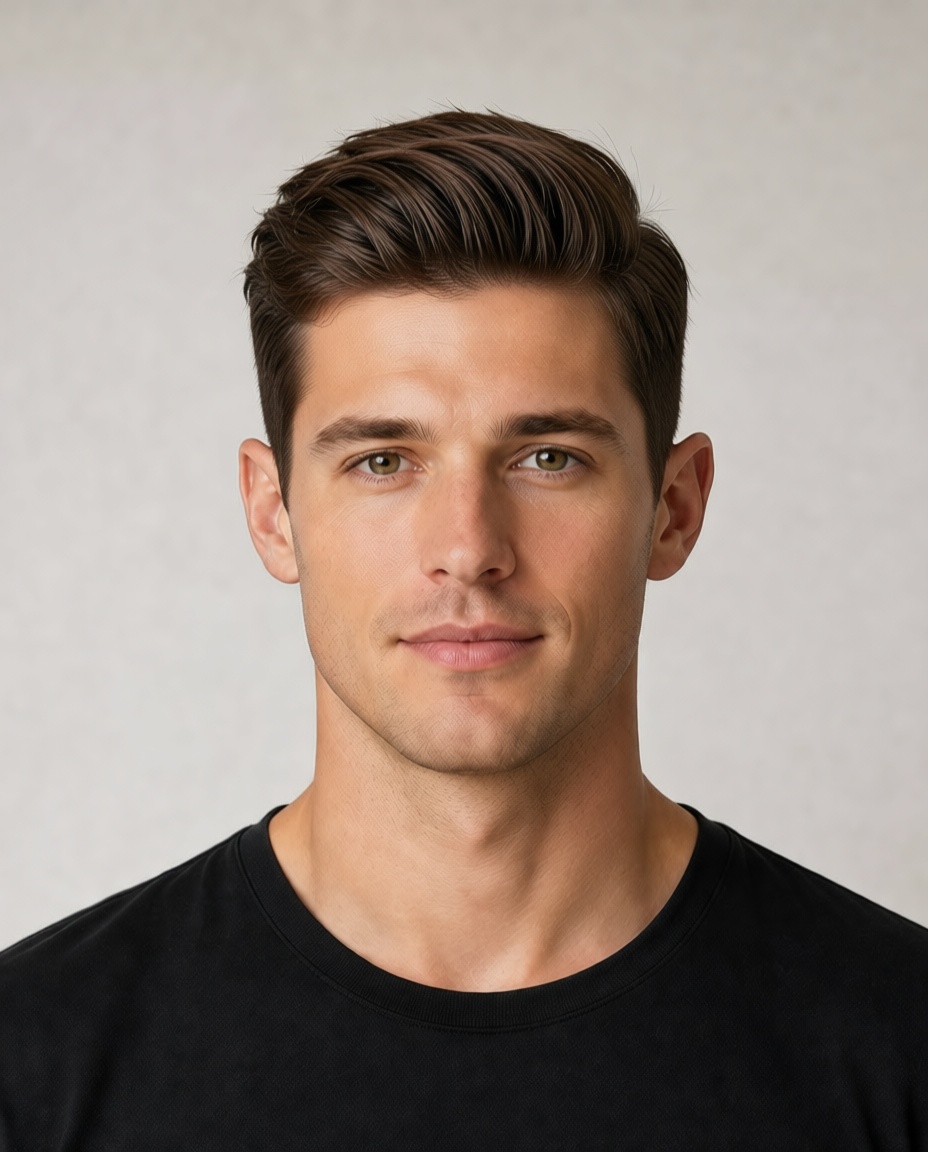
A cut with hair that gradually gets longer from bottom to top, creating a fading effect.
Length
Short
Maintenance
Medium
Best for
Oval, Square
Stylist note
Ask for the fade level you prefer - low, mid, or high.
Photo
Upload selfie
Style mode
Let AI choose for you
Prepare the selfie
Waiting for a clear front-facing photo.
Read face and hair cues
Checking face frame, current length, volume, and forehead coverage.
Match haircut direction
Comparing safe, flattering hairstyle directions.
Choose color strategy
Deciding whether to keep color, adjust it, or let AI choose.
Step 01
Judge the best haircut
Fade
Clean gradient.
Step 02
Judge the right color
AI will choose a realistic shade that fits skin tone and keeps the face natural.
Step 03
Generate new hairstyle
AI plan: Fade
Clean gradient.
Free preview first. HD export and salon card stay available after the result.
Variants to compare
Low Fade
Fade starts near the ear.
Mid Fade
Fade starts halfway up the head.
High Fade
Fade starts high on the head.
Decision details
Salon wording
Ask for the fade level you prefer - low, mid, or high.
Related styles